Everything you need. Nothing you don’t.
We deliberately left out the gimmicks. What’s here is what actually matters on a shoot day — and every bit of it works.
It listens. It follows. You just talk.
SteadyCue uses voice recognition to track what you're saying and scroll your script in real time. Go faster, it keeps up. Pause to collect your thoughts, it waits. No foot pedals, no remote controls, no second person operating the scroll speed from across the room.
The matching engine handles filler words, numbers, repeated phrases, and even recognition restarts without losing its place. A 3-2-1 countdown gets you into the zone before tracking starts. It's been tested and tuned on real shoots — not in a lab.
The workflow nobody else offers.
This is the thing that sets SteadyCue apart. Use the web companion on your desktop to write, edit, and organise your scripts. They sync to your tablet instantly via the cloud.
When you're ready to shoot, hit "Start Presentation" from your PC — your tablet goes live without you walking over and touching it. Edit a script between takes on your laptop, the changes appear on the tablet immediately. Stop the presentation remotely when you're done.
Write on your PC. Read on your tablet. Never touch the tablet between takes. Nobody else does this.
Your script, your way.
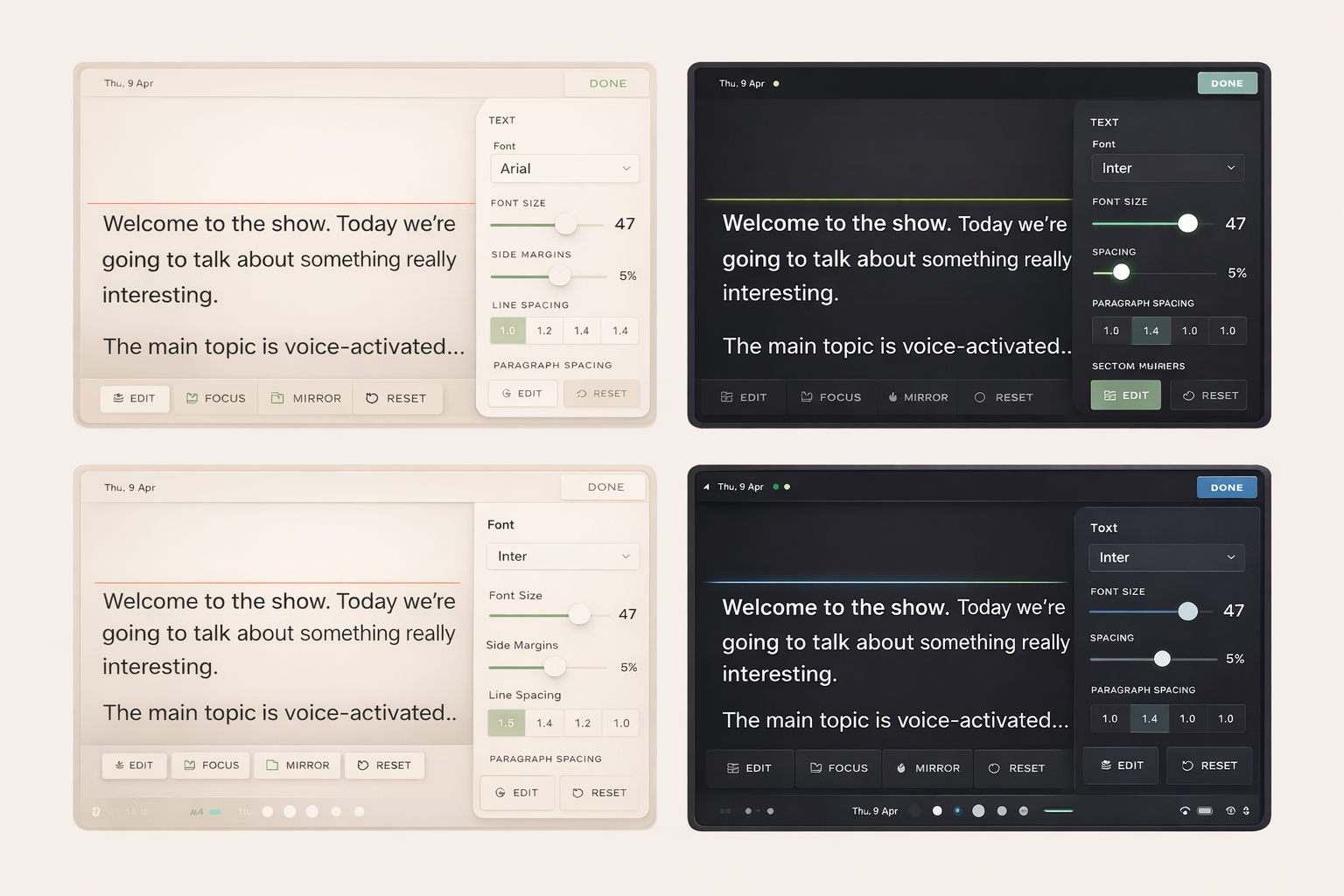
Font selection from multiple bundled fonts including OpenDyslexic for accessibility. Font size slider plus pinch-to-zoom on the prompter screen. Adjustable side margins, line spacing, and paragraph spacing — independently controlled so you can set tight paragraph gaps with comfortable line spacing.
Background and text colour pickers. A green track line shows your reading position with adjustable thickness, colour, and vertical placement. Edge fade at the top and bottom of the screen draws your eye to the active line. Tweak it once, your settings stick between sessions.
Flip it for the glass.
If you're using a beam splitter or traditional teleprompter rig, one tap flips your script horizontally. The text reads correctly through the glass while appearing mirrored on screen. Vertical flip is there too for under-mounted setups. Both modes work with voice tracking, manual scroll, and all display settings.
Organised. Searchable. Ready to go.
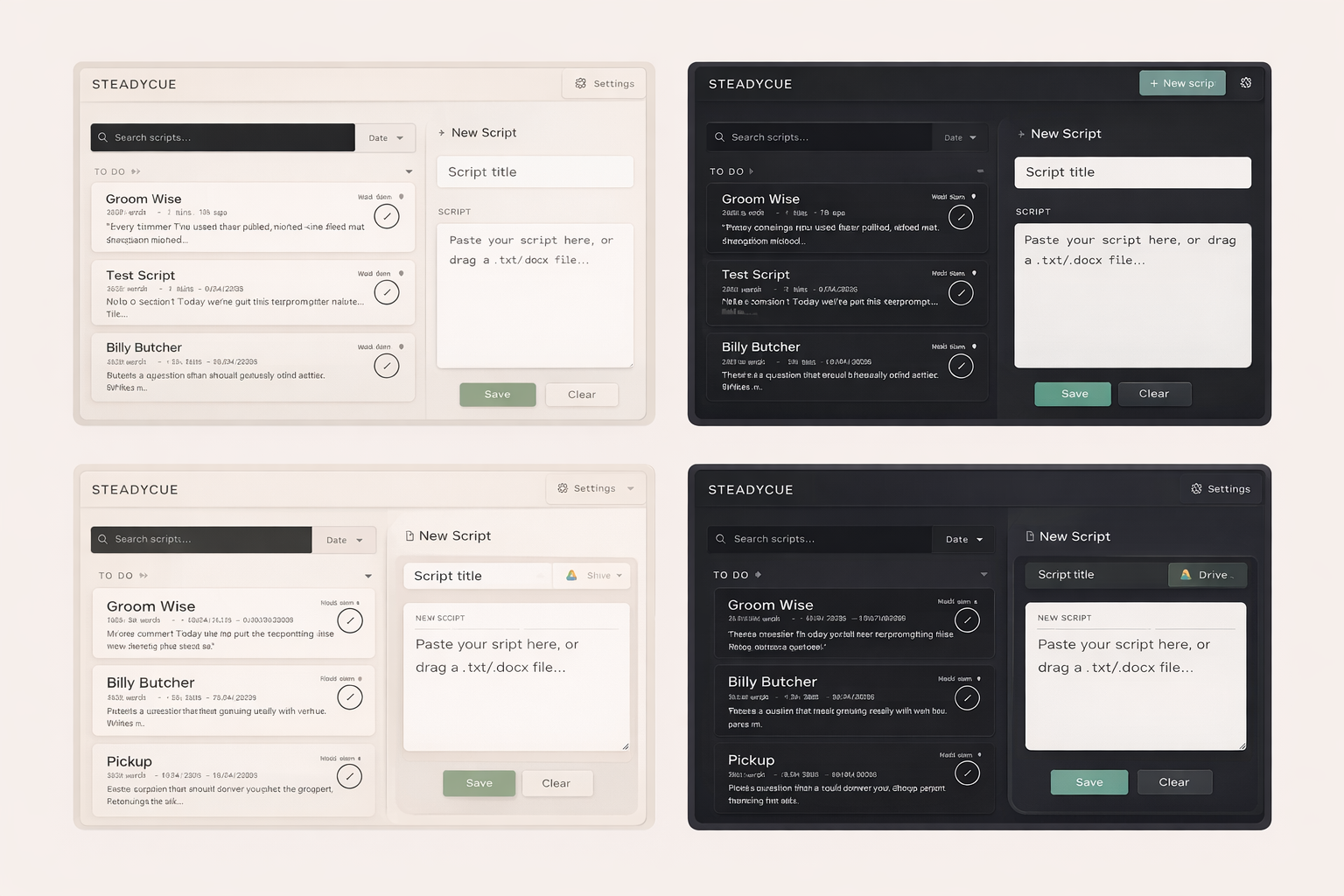
A proper script library with cards, not a messy list of files. Create, edit, duplicate, and delete scripts. Mark them as To Do or Completed so you know what's left to shoot. Search by title or content. Sort by date, name, recent use, or word count.
Import scripts from .txt or .docx files — drag and drop or pick from your device. Import directly from Google Drive without leaving the app. Cue text formatting lets you add stage directions that appear differently from your script text, so you can tell the difference at a glance.
Jump to any section. Nail the retake.
Add section markers to your script and jump between them during filming. When you need to redo a section, tap the section name and you're right back at the start of it — no scrolling through the whole script to find your place.
A segmented progress bar shows where you are within each section. Choose between inline labels or edge tab bookmarks depending on how you like to work.
Hands-free operation.
SteadyCue supports the Neewer RT113 Bluetooth remote — play/pause voice tracking, adjust font size, and scroll manually without touching your tablet. Also works with any HID keyboard or presentation remote, so if you've got a clicker, it probably works.
Scroll direction respects flip and mirror mode automatically. Connect once and it's ready every time you open the prompter.
No Wi-Fi on set? No problem.
Voice tracking works without an internet connection. Your scripts are stored locally on the device. The app doesn't need a server to function — everything you need for a shoot runs on the tablet itself.
Cloud sync and the web companion need connectivity, but the actual prompting — the bit that matters when you're filming — works anywhere.
Accessibility isn't an afterthought.
SteadyCue ships with OpenDyslexic as a built-in font option — one of only a handful of teleprompter apps that does this. Combined with full control over font size, spacing, colours, and the track line reading guide, the prompter adapts to how you read, not the other way around.
The teleprompter built for
your shoot day
Write scripts on your PC. Read them hands-free on your tablet. Never walk over and touch it between takes. No other app does this.
No bloat. No gimmicks. No apologies.
SteadyCue doesn’t record video. It doesn’t have an AI script writer. It doesn’t try to be a camera app, a video editor, or an all-in-one production suite.
Why? Because you’ve got a camera for recording and an editor for editing. What you need is a teleprompter that does its job — reliably, every time, without crashing mid-take or disconnecting from your devices.
Other apps try to do everything and end up doing nothing well. We do one thing, and we do it properly.
Ready to try a teleprompter that actually works?
SteadyCue is coming to Google Play and the App Store. Be ready.