The teleprompter that just works.
Write on your PC. Read on your tablet. Never touch the tablet between takes. Voice-tracked scrolling, instant script sync, and a workflow built for creators who actually shoot.
We tried every teleprompter out there. They all let us down.
Dropped connections mid-take. Pairing headaches that eat into your shoot day. Features that are missing or half-broken. Apps that haven’t been updated in months — sometimes years.
We’re Andy and Josh, video producers and content creators at Kraken Media. We’ve tried PromptSmart, Teleprompter.com, and just about everything else on the market. They all share the same problem: they were built by software companies, not by people who actually stand in front of a camera every day.
So we built our own.
Three steps. That’s it.
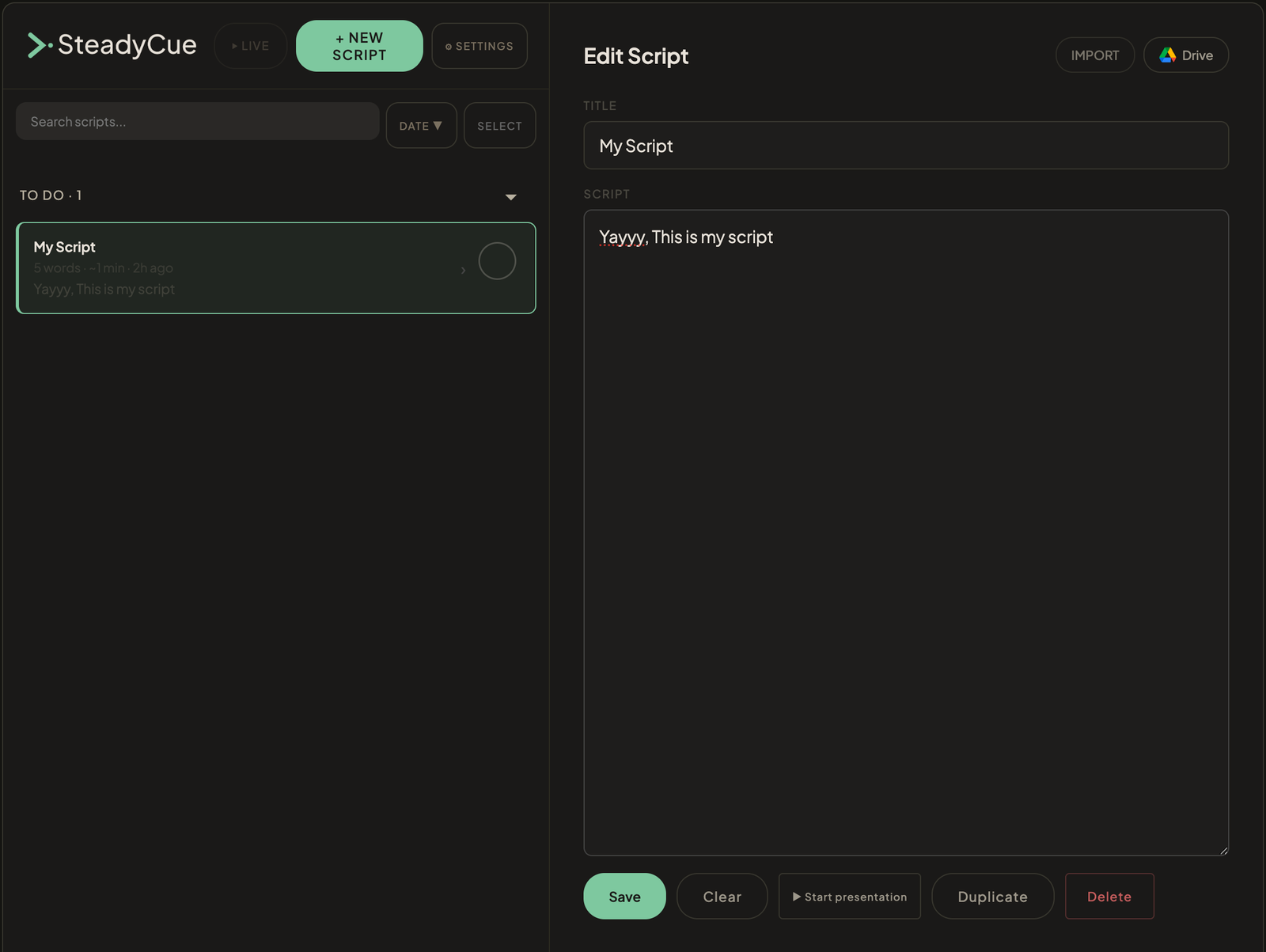
Write your script on your PC
Use the web companion to write, paste, or import your scripts from anywhere. They sync to your tablet instantly.
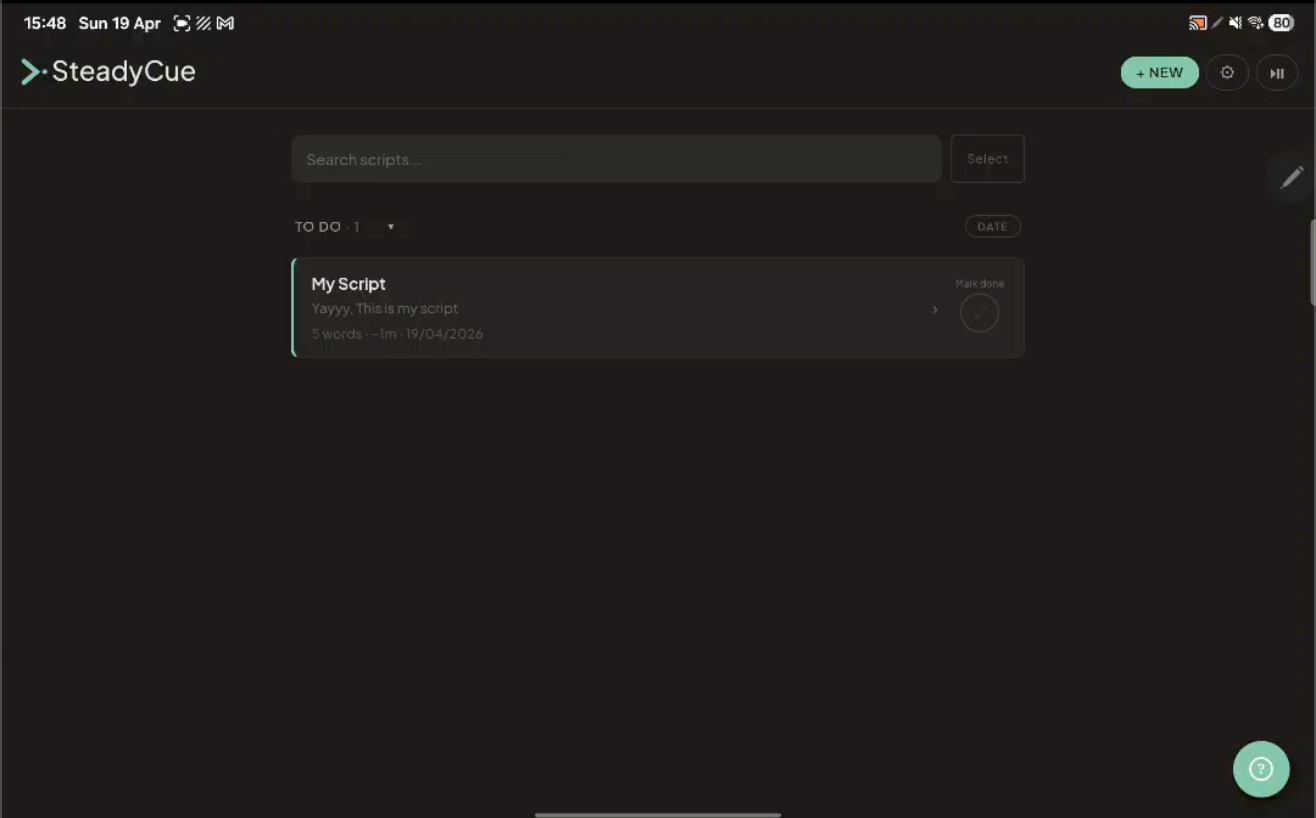
Open the app on your tablet
Simply open SteadyCue on your tablet or phone. Your scripts are already synced and waiting. Pick one, tap Send to Prompter.
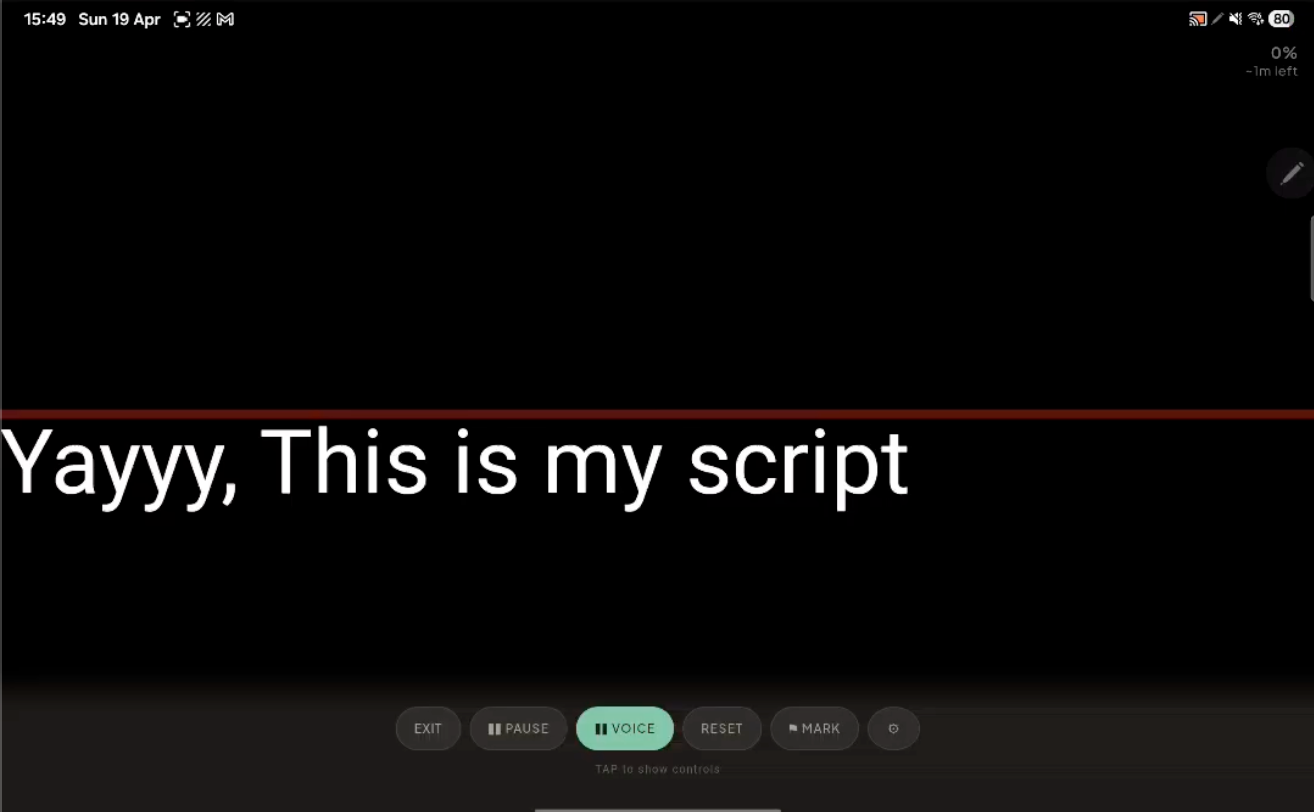
Start talking — it follows your voice
Voice-tracked scrolling keeps pace with you. Speed up, slow down, pause — the script follows you, not the other way around.
What makes SteadyCue different
Voice-tracked scrolling
Your script scrolls as you speak. Speed up, slow down, pause — it keeps pace with you. No foot pedals, no remote controls, no second person operating the scroll.
Write on PC, read on tablet
The web companion lets you manage scripts from your desktop. Edit, organise, even start a presentation remotely — your tablet goes live without you touching it. This is the workflow nobody else offers.
Actually maintained
We use SteadyCue on every shoot. When something needs fixing, it gets fixed. When a feature would make our workflow better, we build it the same week. This isn’t abandonware — it’s our daily driver.
Built for solo shooters
No recording features. No AI summariser. No bloat. You’ve got a camera for recording and an editor for editing. What you need is a teleprompter that does its job without crashing, disconnecting, or getting in the way.
Works offline
Voice tracking works even without an internet connection. No cloud dependency mid-shoot. Your scripts are stored locally on the device.
Dyslexia-friendly
One of the only teleprompter apps that ships with OpenDyslexic as a font option. Accessibility shouldn’t be an afterthought.
Stop fighting your tools.
SteadyCue is free to start. Voice tracking, web companion, and Bluetooth remote unlock with Pro.